APOGEE Graphics Importer Workspace
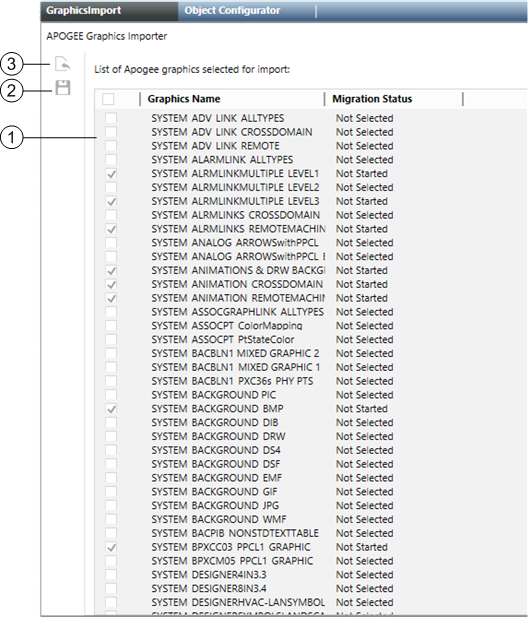
APOGEE Graphics Importer | |
Item | Description |
1 | APOGEE Graphics Importer Folder Display Displays the list the Graphics Name and the Migration Status of each APOGEE graphic folder migrated to Desigo CC. Additionally, each graphic folder can be individually check marked for import, or, you can check the check box in the column heading to Import All the folders displayed in the list. |
2 | Save Graphics Initiates the process of importing the APOGEE graphics into the management station. |
3 | Select APOGEE Graphics Displays the Graphics Folder Selector, which allows you to browse and select the APOGEE graphics you want to import into the management station. |
